
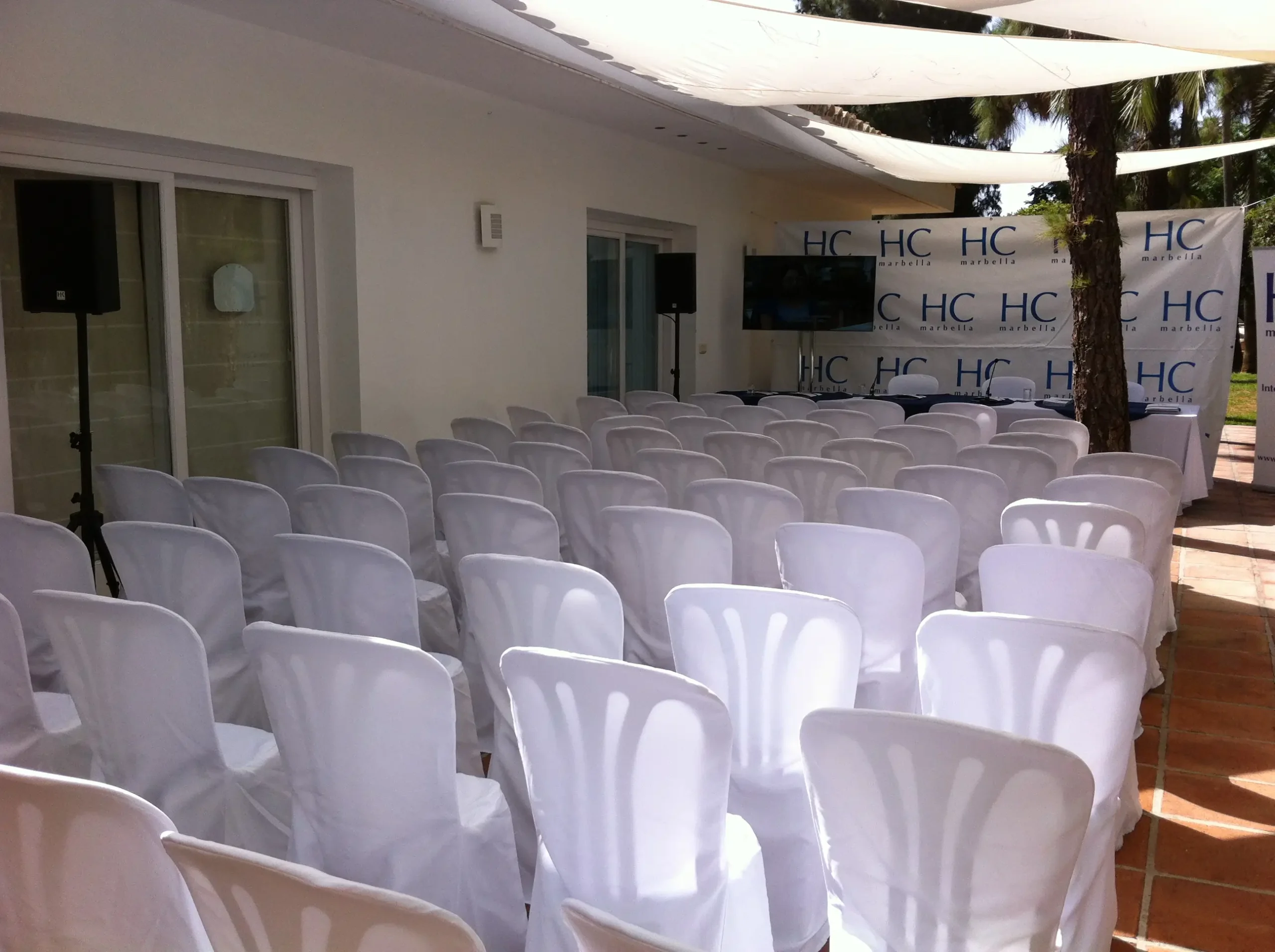
AV System Troubleshooting in Malaga, Spain
Searching for AV system troubleshooting usually assumes a technician already sorted it, or a permanently installed office system you own. Neither describes the situation this guide is actually for: you rented one of our packages, no technician is on site, and something has stopped working the way it did when our crew left.
Our technical support for events and AV technician hire guides already cover the other scenario in depth: what our crew does when a technician is part of your booking. This page is specifically for the packages where no one is watching the levels for you, the Eco Pack, the Product Presentation Pack, and the Basic MICE Pack if you did not add the technician option. What to check yourself, package by package, before you assume anything is actually broken.
Book now and confirm which of our packages puts you in charge of running the equipment.
Brief Overview
Three Malaga Event Gear packages put you in charge of your own equipment, with no technician watching the levels: the Eco Pack, the Product Presentation Pack, and the Basic MICE Pack if you skip its technician add on. Each one has different gear, so what you check when something stops working is different too, not one generic checklist.
This guide walks through what our crew already tested before leaving, what to look at first on each of those three packages specifically, and who to call if a quick check does not fix it. Contact us if you are unsure which package your booking falls under.
Key Highlights
Three packages are genuinely self run: the Eco Pack and Product Presentation Pack have no technician option at all, and the Basic MICE Pack only gets one if you pay for the add on.
We operate delivery only: our crew transports, installs, calibrates and tests every booking, including these three, before they ever leave your venue. The honest starting question is what changed since delivery, not what was broken from the start.
The self check that matters depends on what your package actually has. The Eco Pack has no mixing console and no wireless microphone, so troubleshooting either one does not apply to it.
A wireless microphone only exists on the Product Presentation Pack. The Basic MICE Pack's gooseneck microphone is wired to the podium, so there is no battery or channel to check on it.
We are available 24 hours a day, 7 days a week for technical setups and live event monitoring, so a call is always an option once you have checked the obvious.
Running Your Own Equipment: Which Packages Are Self Run
Not every package puts a technician on site, and the split is not close to even. Looking at our full catalog: the Wedding Pack includes a technician for the whole event, and the MICE Pack includes one for up to 6 continuous hours. Neither of those is what this page is about. Our technical support for events guide covers what that technician actually does, phase by phase, if either of those describes your booking.
This page covers the other three packages instead:
- Eco Pack. No technician option at all, not even as a paid add on. Built as a self run PA system for a DJ or host controlling their own levels.
- Product Presentation Pack. No technician option at all either. Built for a corporate presentation, dealership showcase or product launch run by whoever is presenting.
- Basic MICE Pack. A technician is available, but only as a paid add on at 240 euros per day. If you did not add it, your booking is self run by default.
If none of that matches your package, our AV technician hire guide has the full technician by package breakdown.
Before You Troubleshoot: What Already Happened Before You Started
We do not offer a self collection or drop off option on any package. Every booking, including these three, arrives with our own crew, who deliver, install and test the equipment before they leave, confirming speakers are powered, the microphone is live, and a screen or projector is synced if your package includes one.
That matters for how you troubleshoot. If something is not working now, it worked when our crew left, so the honest first question is what has changed since then, not what might be broken. The usual suspects are a cable that got knocked loose moving a table or a stand, a gain or volume control nudged by someone leaning on the console, a battery that has run down on a wireless handheld, or an input selected that does not match whichever laptop or device is actually connected right now.
For what that initial setup actually involves, gain staging and speaker placement adjusted to your specific venue rather than a fixed setting, see our audio system calibration guide. This page picks up from there: what to check if something changes after our crew leaves, not how it got calibrated to begin with.
Self Check by Package: What to Look at First
What you check depends on what your package actually includes, since none of these three packages carry the same equipment.
| Eco Pack | Product Presentation Pack | Basic MICE Pack (no technician add on) | |
|---|---|---|---|
| Speakers | 2 active speakers on stands | 2 speakers through a mixing console | Basic sound reinforcement system |
| Microphone | 1 wired dynamic microphone | 1 wireless handheld microphone | 1 wired gooseneck microphone (podium mounted) |
| Mixing console | None | Yes | None |
| Projector and screen | Not included (add on, +50 euros) | Yes, 5000 lumen projector and screen | Yes, 3000 lumen projector and 2x2m screen |
| Lighting | 2 RGBW LED light bars | None | None |
| Technician | Not offered | Not offered | Optional add on, +240 euros per day |
Eco Pack: No Console, No Wireless Mic
The Eco Pack is the simplest of the three, and that simplicity means fewer things to check. There is no mixing console and no wireless microphone in this package, so if a search result tells you to check a wireless receiver's channel, it does not apply here.
- Check that both active speakers are still plugged into power and that the cable running from the mixing point to each speaker is fully seated.
- Check the XLR cable on the wired dynamic microphone at both ends, at the mic itself and wherever it connects.
- Check the power and connection on the RGBW LED light bars if the lighting looks off rather than the sound.
- If you added the optional projector for +50 euros, its input source check works the same way as the Product Presentation Pack section below.
Product Presentation Pack: Console, Projector and Wireless Mic
This is the package with the most to check, because it is the only one of the three with both a mixing console and a wireless microphone.
- Check the mixing console for a channel that has been muted or a gain fader nudged down, for example from someone leaning on the desk or a bag set down on it.
- Check that the input channel selected on the console matches the laptop or device actually connected right now, especially if more than one person has plugged in during the event.
- Check the wireless handheld microphone's battery level and confirm it is set to the same channel as its receiver. Those are the first two things to rule out before suspecting the unit itself.
- Check the projector's input source selection (HDMI or the port in use) against the connected laptop, and confirm the screen is showing the same resolution the projector expects.
- Check that every cable, HDMI, XLR and speaker, is still seated at both ends. Loose cables are the first thing to rule out on all three packages.
Basic MICE Pack Without the Technician Add On
Without the add on, the Basic MICE Pack has no mixing console to check and no wireless microphone either, its gooseneck microphone is wired directly to the podium.
- Check the projector's input source against whichever laptop is connected, the same check as the Product Presentation Pack above.
- Check the gooseneck microphone's cable connection at the base of the podium.
- Check that the sound reinforcement system's power and speaker cables are still seated, since there is no console fader to isolate the problem to instead.
Feedback or Buzzing From the Speakers
This one is not specific to any single package. Feedback, the rising squeal when a microphone picks up its own amplified sound, usually means the microphone has moved closer to a speaker or is now pointed toward one, so moving it or turning slightly away is the first thing to try. A steady buzz or hum more often points to a cable run crossing a power cable, or a loose connection at either end, so retracing the cable path and reseating both ends is worth doing before assuming anything is faulty.
Who to Call When It Goes Beyond a Quick Fix
Check the obvious first: cables, gain, battery, input selection. If that does not resolve it, we are available 24 hours a day, 7 days a week for technical setups and live event monitoring, on every booking, including these three self run packages. Contact us or call 666 346 911 if you need us mid event.
Want a Technician Instead of Troubleshooting It Yourself
If reading this makes you wish someone else was handling it, that is a real option on one of these three packages. Our AV technician hire guide covers which package to add one to and what it costs, and our technical support for events guide covers what that technician actually does once they are on site. The Basic MICE Pack can add one for 240 euros per day. The Eco Pack and Product Presentation Pack do not offer one at any price, so if a technician is a hard requirement for your event, the Wedding Pack or MICE Pack are the packages that include one as standard instead. And if you have not booked yet at all, our AV equipment consultations guide covers matching your event to the right package before you get to this page.
Is Troubleshooting Different Outdoors
The checks themselves are the same, cables, gain, battery, input selection, but an outdoor booking adds cable exposure and wind to the list of things that can knock a connection loose in the first place. See our audio visual rental for outdoor events guide for how we plan cable runs and stand placement outdoors before your event even starts.
Real Setups We've Delivered
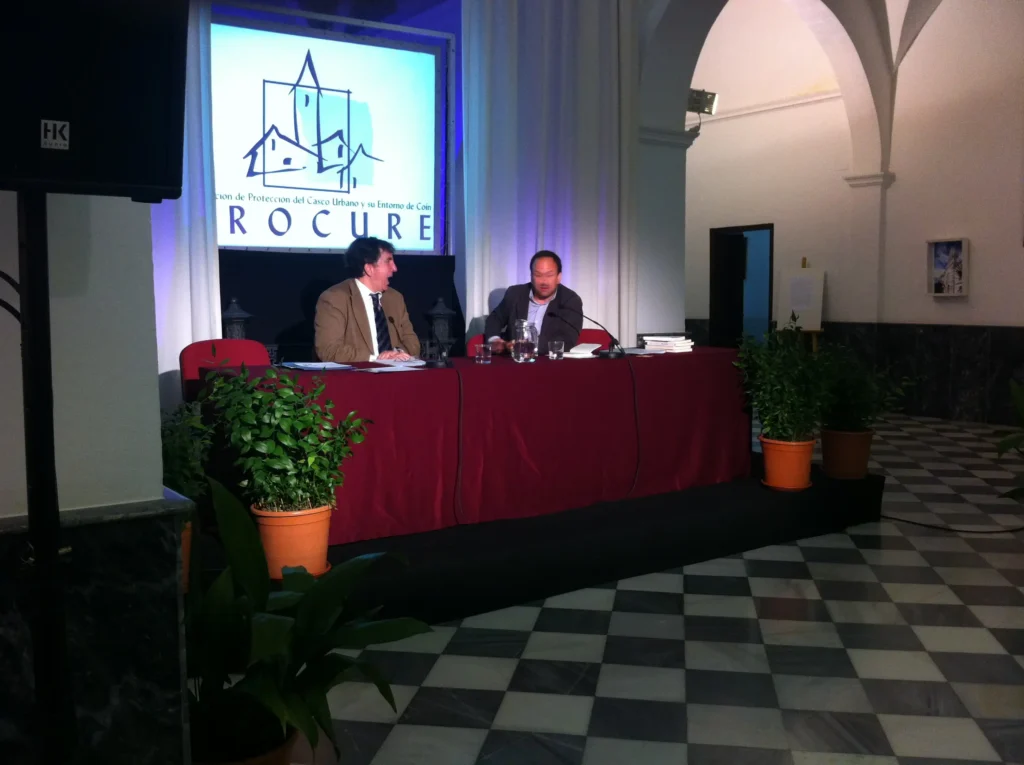
Sound and a projection screen for a PROCURE talk in Coin, in the province of Malaga, Spain. Once our crew leaves, this is the kind of setup a self run booking checks against, not a fault to troubleshoot from a cold start.
How Far in Advance to Book
All our bookings need at least 24 hours' notice, self run packages included. If reading this guide makes you decide you would rather add a technician to the Basic MICE Pack, tell us when you book rather than the day before, since the add on has to be scheduled the same as the equipment itself. Demand for technician covered packages peaks during wedding season, from April through October, so confirming early matters most for the Wedding Pack specifically.
Conclusion
AV system troubleshooting for a self run Malaga Event Gear package starts from one honest fact: it worked when our crew left, because we deliver, install and test everything before we go, even on the Eco Pack, Product Presentation Pack and Basic MICE Pack without the add on. What to check depends on what your package actually has, a console and wireless mic on one, a wired podium mic and projector on another, and cables on all three. Contact us if a quick check does not resolve it, we are available around the clock. For the technician managed version of this instead, see our technical support for events and AV technician hire guides, or for our full equipment range, see the audio visual rental in Malaga guide.
FAQs
What packages include a technician who handles troubleshooting for me, and which don't?
The Wedding Pack and MICE Pack include one as standard. The Basic MICE Pack offers one as a paid add on at 240 euros per day. The Eco Pack and Product Presentation Pack do not offer one at all, at any price. See Running Your Own Equipment above.
If I'm running my own equipment, what should I check myself if something stops working?
It depends on which package you have, since the three self run packages carry different equipment. Cable seating applies to all three. A mixing console and wireless microphone only exist on the Product Presentation Pack. A projector applies to the Product Presentation Pack and the Basic MICE Pack, not the Eco Pack unless you added it as an option. See Self Check by Package above for the full breakdown.
Why did my wireless microphone cut out, and what can I do about it during the event?
This applies specifically to the Product Presentation Pack, the only one of the three self run packages with a wireless microphone. Check the battery level first, then confirm it is set to the same channel as its receiver, those are the first two things to rule out before suspecting the unit itself. The Eco Pack has a wired dynamic microphone and the Basic MICE Pack's gooseneck microphone is wired to the podium, so neither one has this issue.
My projector isn't syncing to the screen, what do I check first?
Check that the input source selected on the projector, usually HDMI or the port in use, matches the laptop or device actually connected right now. This applies to the Product Presentation Pack and the Basic MICE Pack, both of which include a projector and screen as standard. See Self Check by Package above.
Why is there feedback or a buzzing sound from the speakers?
Feedback, a rising squeal, usually means a microphone has moved too close to a speaker or is pointed toward one, moving it or angling it away is the first thing to try. A steady buzz more often points to a cable crossing a power line or a loose connection, so retracing the cable run and reseating both ends is worth doing before assuming a fault. See Feedback or Buzzing From the Speakers above.
Who do I call if equipment stops working during my event?
Check cables, gain, battery and input selection first. If that does not fix it, we are available 24 hours a day, 7 days a week for technical setups and live event monitoring, including on self run packages. Contact us or call 666 346 911.
Does Malaga Event Gear only rent equipment and walk away, or is help available if something goes wrong later?
We deliver, install and test every booking before we leave, so it works correctly at handover, but we do not disappear after that. Our line is available 24 hours a day, 7 days a week for technical setups and live event monitoring, even on the Eco Pack, Product Presentation Pack and Basic MICE Pack without the technician add on. See Before You Troubleshoot above.
Can I add a technician mid booking if I decide I don't want to troubleshoot my own equipment?
On the Basic MICE Pack, yes, the technician is a paid add on at 240 euros per day, so tell us as soon as you decide rather than waiting until the day of your event, since it needs to be scheduled the same as the equipment itself. The Eco Pack and Product Presentation Pack do not offer a technician at any price. See Want a Technician Instead of Troubleshooting It Yourself above.
Is troubleshooting different for outdoor events?
The checks are the same, cables, gain, battery, input selection, but wind and cable exposure outdoors add more ways for a connection to get knocked loose in the first place. See our audio visual rental for outdoor events guide for how we plan for that before your event starts.
What is the difference between a technician fixing an issue and me fixing it myself?
A technician is watching the levels continuously, so a dropped connection or a muted channel gets caught the moment it happens. Running your own equipment means you only notice once it is already affecting your event, and the fix is whichever quick check on this page matches your package. Neither is wrong, it is a question of whether your package includes that continuous watch or not. See Running Your Own Equipment above for which packages include one.
What should I check first if the AV stops working in a conference room?
Check what changed since our crew left, starting with the cables. Make sure every HDMI, XLR and speaker cable is still seated at both ends, then confirm the projector's input source matches the laptop plugged in right now, since a blank screen or no signal is most often a wrong input. For sound, look for a muted channel or a gain fader nudged down, and on the Product Presentation Pack check the wireless microphone battery. These checks cover the equipment we delivered to your room, see Self Check by Package for your pack. If they do not fix it, call 666 346 911 or contact us, we are available 24 hours a day, 7 days a week.