
Technical Support for Events in Malaga, Spain
Booking technical support for events is not the same question as hiring a technician. It is a question about coverage: what actually happens at your venue before your guests arrive, while your event runs, if something breaks, and after the last guest leaves. That is what this guide covers.
If you are trying to decide which package puts a person on site and what that costs, our AV technician hire guide covers that package by package comparison in detail. This page covers the coverage itself, phase by phase, with the real equipment our crew manages and the real projects we have delivered it on.
Book now and confirm the level of on site coverage your event needs.
Brief Overview
Technical support for events, at Malaga Event Gear, means an on site crew running your equipment through four phases: calibration before your guests arrive, live monitoring while your event runs, troubleshooting the moment something goes wrong, and teardown once it ends. Coverage across Malaga, Spain, and the wider Costa del Sol.
This guide walks through what our crew actually does in each phase, the real equipment they manage on a typical booking, and how coverage changes for a wedding, a board meeting, or a two day corporate conference. Contact us to confirm the coverage level for your date.
Key Highlights
Technical support runs in four phases: calibration, live monitoring, troubleshooting, and teardown, not a single generic "technician included" line.
Coverage is not a yes or no question: the Eco Pack and Product Presentation Pack have none, the Basic MICE Pack offers it as an add on, and the Wedding Pack and MICE Pack include it as standard.
Our crew troubleshoots named, real equipment: mixing consoles, foot pedal lighting, projector and screen sync, wireless microphones, the fog machine and staging, not a generic "AV system."
Multi day corporate events get continuous monitoring from a control panel, not a technician who checks in occasionally.
On packages with multiple presentation sources, a 9 input video scaler lets the presenter switch between them without a visible cut, or you can book our technician to run it for you. This is strictly a presentation tool: cameras, filming and live streaming are not in our own inventory. See Switching Between Multiple Presentation Sources below.
What Actually Happens During Your Event: A Phase by Phase Look
Here is what actually happens, phase by phase, on a booking that includes it.
Before Your Event Starts: Calibration and Testing
Our crew arrives ahead of your first guest and runs gain staging across every microphone, checks projector and screen sync, and checks that the lighting works. This is where a microphone that would feed back, or a projector that would not sync, gets caught and fixed before anyone notices it was ever a problem. For the deeper why behind that gain staging, room by room, see our audio system calibration guide.
While Your Event Runs: Live Monitoring
Once your event is live, the technician stays on the levels: adjusting gain as different speakers take the microphone, managing the handoff between one speaker sitting down and the next standing up so there is no dead air, and watching the sound and the video signal chain continuously rather than checking in every so often.
When Something Goes Wrong: Troubleshooting in Real Time
A dropped wireless microphone connection or a projector that loses sync mid presentation gets fixed on the spot, not diagnosed after your event has already suffered for it. See Real Equipment, Real Troubleshooting below for the specific gear our crew works with.
After Your Event Ends: Teardown and Collection
Once your last guest has left, our crew handles rapid teardown and collection of the equipment. You never pack anything up yourself, and on a multi day booking the same crew resets and recalibrates for the next day rather than starting from zero each morning.
How Much On Site Coverage Do You Actually Get
Coverage is a presence question, not a price question: how much of your event actually has someone watching it. Here is how it breaks down by package:
| Package | On Site Presence | What This Means During Your Event |
|---|---|---|
| Eco Pack | None | The DJ or host runs their own levels. Our crew delivers, sets up and tests before leaving. |
| Product Presentation Pack | None | The presenter runs their own slides and microphone. Our crew delivers, sets up and tests before leaving. |
| Basic MICE Pack | Add on presence | No one is on site by default. Add the technician option if your meeting needs live coverage. |
| MICE Pack | Continuous, capped | A technician actively monitors your event for up to 6 continuous hours. |
| Wedding Pack | Continuous, uncapped | A technician stays on site for the entire event, ceremony through dancing, with no hour cap. |
For the exact hours, add on cost and per package pricing behind each of these, see our AV technician hire guide. For the full step by step process our crew follows on delivery day, see how audio visual rental works.
Real Equipment, Real Troubleshooting: What Our Technicians Actually Fix
Generic "technical support" pages rarely name the equipment involved. Here is the specific equipment in our catalog, and what troubleshooting it looks like.
- Mixing consoles. Our Soundcraft EPM-6 and Mackie Onyx 1640 consoles are what our technicians ride during live speeches, catching a hot channel or a dropped input before it reaches the speakers.
- Foot pedal lighting control. Our Eurolite LED KLS-200 bars are controlled by a foot pedal, not a DMX signal. Our crew sets the right color or pattern during setup, so nobody has to reach for the pedal mid event. If a bar stops responding, fixing it is part of the technician's job.
- Projector and screen sync. Our Vivitek D5 series and Christie LX505 projectors are matched against Da Lite, Traulux and Projecta screens. A projector that will not sync to the right screen size or aspect ratio is exactly the kind of fault caught in the calibration phase above.
- Wireless microphones. Our Audix Fusion Series wireless microphones occasionally drop a connection mid event, usually from interference or a battery running low. Our technicians carry the fix (a channel switch or a fresh battery) rather than letting your speech continue with a dead microphone.
- Fog machine. Our Martin Magnum 650 fog machine needs its output managed against the room's ventilation and any smoke detection on site, particularly indoors.
- Staging. Our GUIL modular stage platforms need to be level and secure before anyone stands on them, which is confirmed in calibration, not discovered live.
Switching Between Multiple Presentation Sources
On MICE Pack bookings with more than one presentation source, for example a laptop for slides, a second laptop for a video, and a DVD player for a screened clip, the presenter switches between them directly, or you can book our technician to manage the switch using a Kramer VP-731, a 9 input video scaler, so the room's screen cuts cleanly from one source to the next without a visible glitch or a reboot. Our video switcher rental guide is the deeper, equipment first version of this section: the real unit, what 9 inputs actually means in practice, and which packages it is realistically available on.
To be clear about what this is not: this is a presentation switching tool for your screen, not a camera, recording or streaming system. Cameras, filming and live streaming are not in our own inventory, and our own crew does not run a broadcast. If a camera or a stream matters to your event, raise it early, and we will ask whether a supplier has both the kit and the crew free for your date. If your event also needs simultaneous interpretation or an interactive voting system, that is not equipment we stock ourselves, but we coordinate it through a subcontracted partner. Contact us if either applies to your event.
Coverage Across a Multi Day Event
Technical support does not reset every morning on a multi day booking. On a two day corporate project for the agency Bmotion in Benahavis, our technicians monitored sound frequencies and video inputs continuously from an advanced control panel across both days, keeping input switching seamless and latency free from the first opening remark through the closing applause on day two. Read the full account in our technical support for Bmotion in Benahavis update.
Real On Site Support We've Delivered
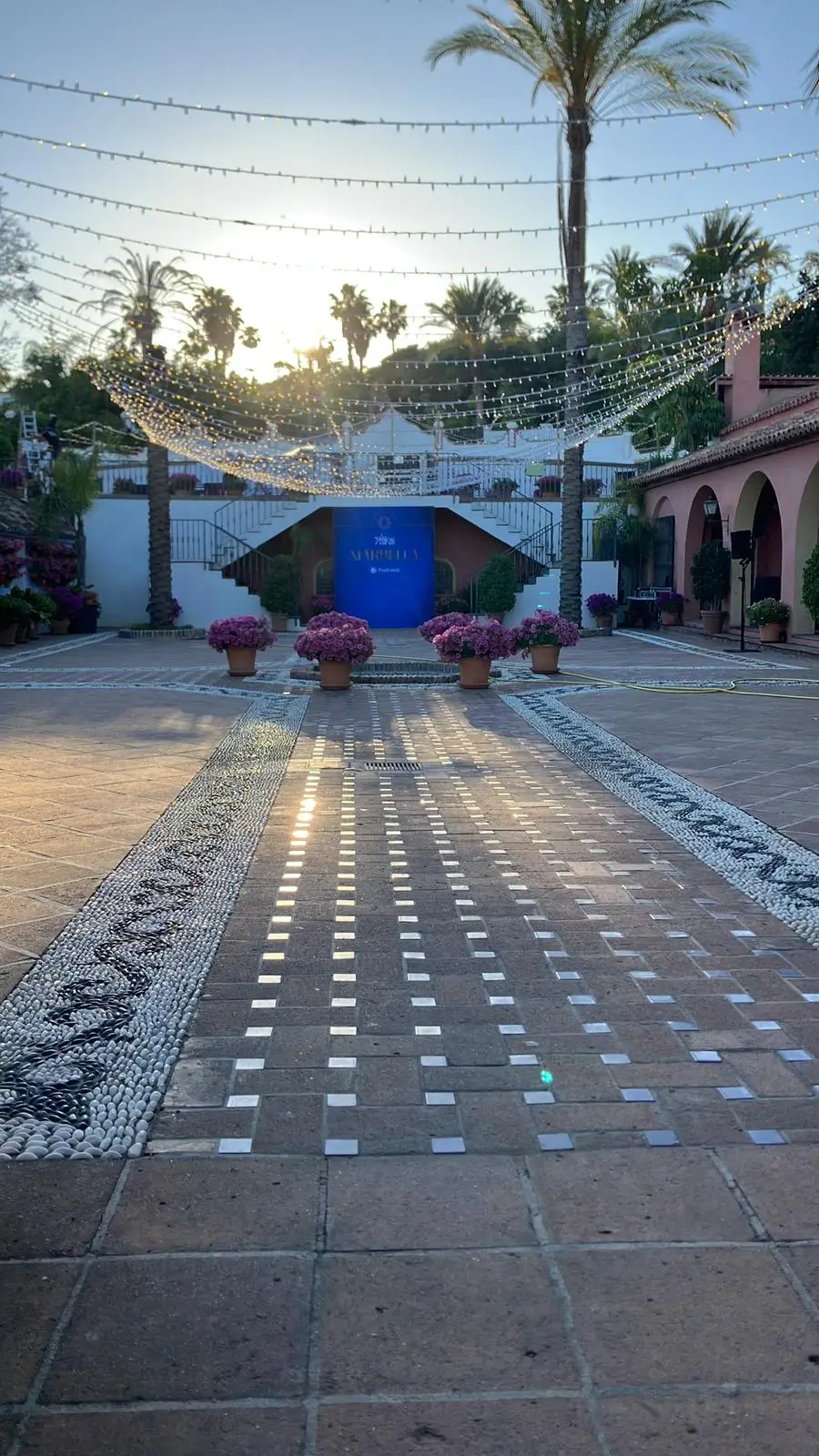
The venue courtyard prepared for Bmotion's corporate event in Benahavis, Malaga province, Spain, the two day event described above.
"We recently used Málaga Event Gear for our End of Season Party, and the service was outstanding. The sound and equipment were top quality, and we had a dedicated technician on-site the entire time to assist with everything we needed. Fantastic experience. Highly recommended."
- Anna Wisser, 5-star Google review, December 2025
How to Book Technical Support for Your Event
Choose the Wedding Pack or MICE Pack if you want continuous on site coverage included, or add the technician option to your Basic MICE Pack quote. Contact us with your event date, guest count, venue, and whether your event runs across more than one day, so we can confirm crew coverage before you book.
Conclusion
Technical support for events at Malaga Event Gear is a phase by phase job, not a single line item: calibration before your guests arrive, live monitoring while your event runs, real troubleshooting on named equipment when something goes wrong, and teardown once it ends. Contact us to confirm coverage for your date, or see our full audio visual rental in Malaga guide for the equipment behind it.
FAQs
What happens during my event? A quick coverage checklist
Calibration and testing before your guests arrive, live gain and signal monitoring while your event runs, on the spot troubleshooting if a microphone or projector fails, and teardown once your event ends. See What Actually Happens During Your Event above for the full phase by phase breakdown.
Is technical support for events the same as AV technician hire?
They cover the same crew from two different angles. Our AV technician hire guide covers hiring the person: which package includes one, which charges extra, and how many hours. This page covers what that person actually does on site once your event starts.
What happens if a microphone drops or a projector loses sync mid presentation?
Our technician fixes it in the moment, using the specific equipment we carry: a channel switch or battery change for an Audix wireless microphone, or a resync against the correct Vivitek or Christie projector and screen pairing. See Real Equipment, Real Troubleshooting above.
Do you provide technical support for multi day events?
Yes. On a two day corporate project for Bmotion in Benahavis, our technicians monitored sound and video continuously from a control panel across both days rather than recalibrating from zero each morning. See Coverage Across a Multi Day Event above.
How many crew members are on site, and how fast do they respond?
A dedicated technician is on site for the duration your package covers, watching the sound and visual signal chain directly rather than being called in after a fault is noticed, so a dropped connection or a light that goes out gets caught and corrected immediately.
Is the technician actively monitoring the event, or just on standby?
Actively monitoring. On the Wedding Pack and MICE Pack, the technician watches levels and video inputs continuously while on site (throughout the event on the Wedding Pack, up to 6 continuous hours on the MICE Pack). They are not a standby presence called in only if something visibly breaks.
Is onsite tech support included in my package, or a separate booking?
It depends on the package, not a blanket rule: included on the Wedding Pack and MICE Pack, available as a paid add on on the Basic MICE Pack, and not offered on the Eco Pack or the Product Presentation Pack. See How Much On Site Coverage Do You Actually Get above for the full breakdown.
What is the difference between delivery only and full event coverage?
Delivery only, on the Eco Pack, the Product Presentation Pack or the Basic MICE Pack without the technician add on, means our crew delivers, sets up and tests the equipment, then leaves it to you, your DJ or your presenter to run. Full event coverage means a technician stays on site actively monitoring and troubleshooting for the length of your event. See our how audio visual rental works guide for the full delivery process either way.
Do you provide technical support for outdoor venues?
Yes, across Malaga and the Costa del Sol. Calibration for an outdoor venue includes the same signal testing as an indoor one, with extra attention to weather exposure and cabling. See our audio visual rental for outdoor events guide for the specific considerations.
Can your technician switch between multiple presentation sources during my event?
Only if you book that service. By default the presenter switches between sources (a laptop, a second laptop, a DVD player) themselves. On packages with a large screen and more than one presentation source, you can instead have our technician manage the switch using a Kramer VP-731 9 input video scaler, cutting cleanly between sources. This is a presentation switching tool only, not a camera, recording or streaming system. See Switching Between Multiple Presentation Sources above.