
Video Switcher Rental in Malaga, Spain
Searching for video switcher rental usually turns up two very different products: a presentation switcher that cuts a room's screen between a laptop and a DVD player, and a camera or vision mixer built for live streaming and broadcast production. Our technical support for events guide already mentions our switcher in one short section, framed as something the presenter can run directly or hand to our technician during an event. This page is the deeper, equipment first version: exactly what we stock, what it is not, which packages it is realistically available on, and an honest comparison against running a single presentation source.
Malaga Event Gear owns this device ourselves and deploys it across Malaga, Spain, and the wider Costa del Sol, run by the presenter directly or by our technician if you book that service. What follows is one real product, described honestly, including where our certainty about it stops, not a rewritten spec sheet.
Brief Overview
Malaga Event Gear stocks one video switcher, a Kramer VP-731 with 9 inputs, as a separate item from its standard event packages. It is real inventory, deployed on bookings that use more than one presentation source, across Malaga and the wider Costa del Sol, with the presenter switching between sources directly or with our technician managing it if you book that service. It is not bundled into the Eco Pack, Product Presentation Pack, Basic MICE Pack, Wedding Pack or MICE Pack, and there is no published a la carte price, so contact us with your event details and we will confirm availability and a quote.
The single most important thing to understand about this device: it is a presentation switcher for your screen, not a camera switcher, vision mixer or streaming production tool. Cameras, filming and live streaming are not in our own inventory, and our own crew does not run them. If your event needs one of them, let us know and we can sound out our suppliers, with no promise that one can cover it. See Video Switcher vs Camera Switcher below.
Key Highlights
- One real unit: a Kramer VP-731, 9 input video scaler, not a camera or broadcast switcher.
- Confirmed real sources it switches between: a laptop, a second laptop, and a DVD player. No document camera or visualizer exists in our inventory.
- 9 physical inputs is real headroom, but a typical corporate booking uses 2 to 3 sources, not 9 at once.
- Not bundled into any of our 5 packages, and quoted on request. The presenter can run it directly, or book our technician to manage it.
- Explicitly not camera switching, not a live vision mixer, not streaming or broadcast production equipment.
The Real Unit We Stock: One Kramer VP-731, 9 Inputs
A video switcher, as a general term, covers everything from a small HDMI matrix box to a full broadcast vision mixer with camera inputs and a preview bus. What MEG actually stocks under that name is one specific product: a Kramer VP-731, a 9 input video scaler and switcher. We own exactly one unit.
We are being precise here on purpose. Our equipment catalog confirms the sources this unit is set up for: a laptop for slides, a second laptop for a supporting video, and a DVD player for a screened clip, drawn from an LG-RH7500 DVD recorder and hard disk unit also in our inventory. There is no document camera or visualizer in our own inventory, and we will not improvise a substitute from what we do own. Video Switcher vs Camera Switcher below covers how we handle a request for one.
What 9 Inputs Actually Means in Practice
The VP-731's 9 physical inputs are a real spec, and we are not going to inflate what most events actually do with them. A corporate event rarely needs more than 2 or 3 presentation sources on a single screen, typically a laptop for the main presentation, a second laptop for a video insert, and occasionally a DVD player for a screened clip. That is the real, honest use case behind this device, not a 9 way simultaneous feed.
The headroom exists because the unit supports it, not because we expect a booking to fill all 9 inputs. What that headroom means in practice is a clean switch between whichever 2 or 3 sources your event actually has, whether the presenter runs it directly or our technician manages it for you, so the room's screen cuts from one to the next without a visible glitch or a reboot. If your event genuinely has more than 3 sources to manage, contact us with the detail and we will confirm whether it is realistic on the day.
Video Switcher vs Camera Switcher: The Question That Matters Most
This is the single most important thing on this page. A video switcher, in the presentation sense that MEG offers, and a camera switcher or vision mixer built for live streaming and broadcast production, are two different categories of equipment used for two different jobs, and they get confused constantly in general searches for this term.
What our Kramer VP-731 does: it takes presentation sources, a laptop, a second laptop, a DVD player, and cuts the room's own screen cleanly between them, run by the presenter directly or by our technician if you book that service.
What it does not do: it does not accept camera inputs, it does not produce a program feed for a live stream, and it has no preview or record output for broadcast use. Cameras, filming and live streaming are not part of our own inventory, and our own crew does not run them. A filmed record, a livestream to remote attendees or a multi camera broadcast mix is a different category of equipment and crew entirely. If your event needs one of those, or a document camera, describe it to us. We can see whether a supplier we work with might take it on, and if none will, we will say so plainly. Ask us directly, too, if you are unsure which category your event needs.
Video Switcher or a Single Presentation Source: What Changes
Not every event needs source switching. Here is what genuinely changes between a single laptop presentation and a booking that adds the video switcher:
| Single Presentation Source | Video Switcher Added | |
|---|---|---|
| Sources on screen | One laptop, connected directly to the projector or display | A laptop, a second laptop and a DVD player, switched between as needed |
| Switching a source mid event | Manual, unplug and reconnect, with a visible black screen or a reboot | The presenter cuts between sources directly, or our technician does it for you, with no visible glitch or reboot |
| Who manages it | The presenter, or nobody | The presenter, or our technician if you book that service |
| Realistic use case | A single speaker, one slide deck, no video insert | A conference agenda with more than one presenter or a video segment inside a live presentation |
| Included in a package | Yes, on any package with a screen | No, separate quote on request item |
If your event is one speaker with one slide deck, a single source is genuinely simpler and nothing here changes for you. If your agenda moves between two laptops, or a slide deck and a screened video clip, the switcher removes the visible fumble of reconnecting a cable live in front of your audience.
Which Packages This Is Available On, and Pricing
None of our five packages, Eco Pack, Product Presentation Pack, Basic MICE Pack, Wedding Pack or MICE Pack, include the video switcher as a standard inclusion. It only makes practical sense on a booking that already has a screen and more than one presentation source, which in our catalog means the corporate packages:
- MICE Pack, with its 60 inch LED display screen and dedicated live technician included as standard, is where this device gets requested most, for a corporate agenda with more than one speaker or a video insert inside a keynote. That included technician runs the sound and microphones. Tell us at booking if you also want them managing the switcher, otherwise the presenter switches directly.
- Basic MICE Pack, with its 2x2m projection screen, can add the video switcher. Without the on site live technical assistant add on, the presenter switches between sources directly. Add that option if you would rather our technician managed it for you.
The Eco Pack has no screen included and is built for a self run DJ or party setup, and the Wedding Pack does not include a projection screen either, so the video switcher genuinely does not fit either of those two. There is no published a la carte price for the switcher itself. Contact us with your package, agenda and how many presentation sources your event actually has, and we will confirm availability and a quote rather than make one up here.
Real Setups We've Delivered
A look at a real conference hall setup in the province of Malaga:
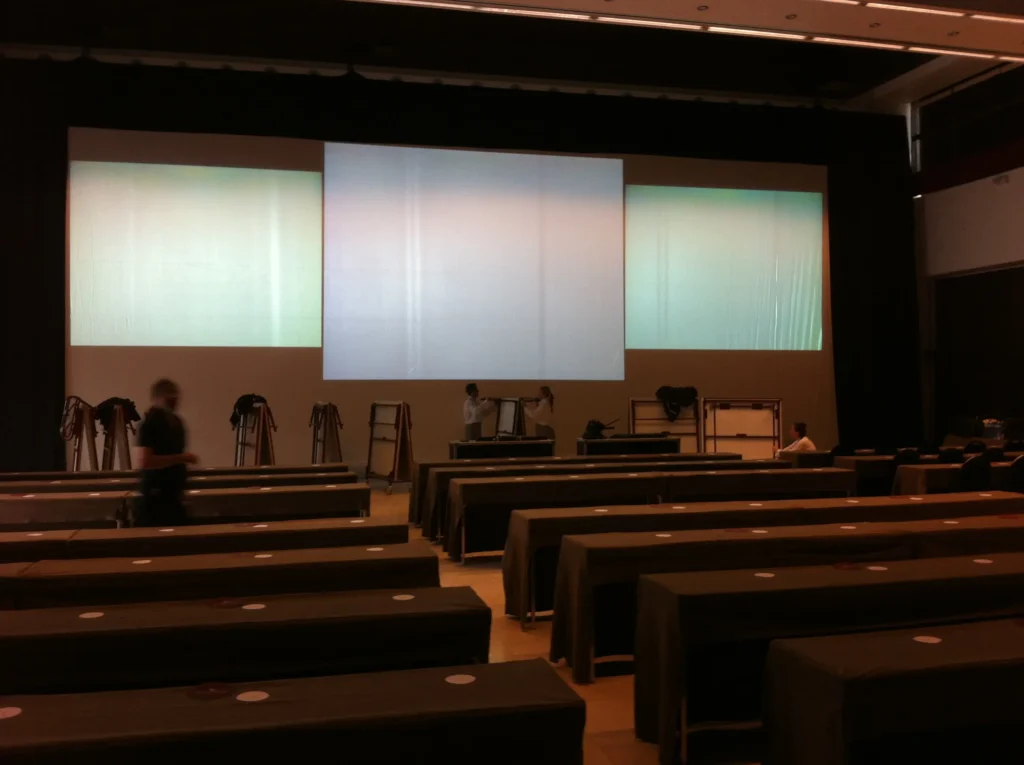
A large projector and screen set up in a conference hall in the province of Malaga, ready for a presentation or audiovisual display.
Our technicians also monitored the video inputs continuously from an advanced control panel across a two day corporate project for the agency Bmotion in Benahavis, keeping input switching seamless and latency free. Read the full account in our technical support for Bmotion in Benahavis update.
How Far in Advance to Book
Book as early as you can once your event date, venue and agenda are confirmed. Demand on the Costa del Sol peaks during the corporate conference season and around major congresses, and our technicians are the first thing to book up if you want one managing the switcher for you. Because the video switcher is a single unit in our inventory, confirming it early also gives us time to check it is genuinely free on your date, whether the presenter runs it or our technician does, alongside whichever package you have already booked.
Conclusion
Video switcher rental in Malaga, for MEG specifically, is one real product: a Kramer VP-731 with 9 inputs, run by the presenter directly or by our technician if you book that service, confirmed against a laptop, a second laptop and a DVD player as real sources, and honestly framed around a typical 2 to 3 source booking rather than a 9 way feed. It is strictly a presentation switcher for your room's screen, not a camera switcher, vision mixer or streaming production tool, and it is not bundled into any of our 5 packages. Contact us with your event agenda and how many presentation sources you actually have, and we will confirm availability and a quote. For more on running this device yourself or booking our technician for it during your event, see our technical support for events guide, or for the full equipment range this device sits within, see our audio visual rental in Malaga guide.
FAQs
What is a video switcher, and what does MEG's video switcher rental include?
A video switcher cuts a screen cleanly between more than one presentation source instead of forcing a manual cable swap. MEG's real version of this is one Kramer VP-731, a 9 input video scaler and switcher, that the presenter can run directly or hand to our technician if you book that service. See The Real Unit We Stock above for exactly what it is and is not.
Is this the same as a camera switcher or a live streaming production switcher?
No. This is the single most important distinction on this page. Our Kramer VP-731 switches presentation sources, a laptop, a second laptop, a DVD player, onto your room's own screen. It does not accept camera inputs and it is not built for live streaming or broadcast production. Cameras, filming and live streaming are not in our own inventory either. See Video Switcher vs Camera Switcher above.
How many sources can it switch between?
The unit has 9 physical inputs, but the honest, typical use case on our real bookings is 2 to 3 sources, a laptop, a second laptop and occasionally a DVD player, not 9 at once. See What 9 Inputs Actually Means in Practice above.
Can I rent just the switcher without a technician?
Yes. The presenter can run the switcher directly, cutting between sources themselves. If you would rather our technician managed it for you, add the on site live technical assistant option on the Basic MICE Pack. On the MICE Pack, the included technician runs the sound and microphones as standard. Tell us at booking if you also want them managing the switcher, otherwise the presenter switches directly. Consistent with our delivery only model, we do not offer self collect rentals either way: our crew delivers, sets up and tests the unit before leaving, whether the presenter or our technician runs it on the day.
Video switcher vs camera or vision mixer for live streaming, what is the real difference?
A video switcher like ours cuts between presentation sources for a room's own screen, a laptop to a laptop to a DVD player. A camera or vision mixer for live streaming accepts multiple camera feeds and produces a program output for a broadcast or a stream to remote viewers, an entirely different category of equipment with a different signal chain. MEG stocks the first. The second, and the cameras, filming and live streaming that go with it, are not in our own inventory. If your event needs a filmed record or a stream to remote attendees, see Video Switcher vs Camera Switcher above.
Which packages include this, and how much does it cost?
None of our five packages include it as standard. It realistically pairs with the MICE Pack, which already includes a screen and a technician, or the Basic MICE Pack, where the presenter can run it directly or you can add the technical assistant option if you would rather our technician managed it. There is no published a la carte price. Contact us with your package and agenda and we will confirm availability and a quote. See Which Packages This Is Available On above.
What sources can it actually switch between?
Confirmed, real sources: a laptop, a second laptop, and a DVD player, drawn from an LG-RH7500 DVD recorder and hard disk unit in our inventory. There is no document camera or visualizer in our own inventory, so neither appears on that list. See Video Switcher vs Camera Switcher above if your event needs one.
Do you rent the DVD recorder, or other recording equipment, separately from the switcher?
No. The LG-RH7500 DVD recorder and hard disk unit is one of the switcher's three confirmed sources, not a standalone rental item, and it has no camera input. If you are searching for recording equipment rental meaning cameras, lenses or production gear to film your event, none of that is in our own inventory: what we own is audio, screen and lighting equipment for events. See Video Switcher vs Camera Switcher above for how we handle that request.
Do I need this for a small event, or only for larger corporate bookings?
Only if your event has more than one presentation source on the same screen. A single speaker with one slide deck does not need it, a single laptop connection is genuinely simpler. It becomes relevant on a conference agenda with more than one presenter, or a keynote that includes a video insert, which is why it shows up almost exclusively on our corporate MICE bookings rather than private parties.
How does this compare to just using one laptop for my presentation?
A single laptop is simpler and needs nothing extra, and it is the right choice if your event genuinely has one presenter and one deck. The difference shows up the moment a second source enters the picture, a second speaker's laptop or a screened video clip. Without the switcher, that source change means unplugging and reconnecting a cable live, with a visible black screen or reboot. With it, the presenter cuts between sources directly, or our technician does it for you if you book that service, with no visible interruption. See Video Switcher or a Single Presentation Source above for the full comparison.
Can I bring my own devices to switch between?
Yes, within the confirmed source types, a laptop or a second laptop connects the same way any presentation laptop does on our packages, through the HDMI and USB-C adapters we already provide. Tell us what devices your event will actually use when you book so our technician can confirm compatibility and the connection setup ahead of time, rather than troubleshoot it live.
How far in advance should I book this?
Book as early as you can once your event date, venue and agenda are confirmed. See How Far in Advance to Book above. Because it is a single unit in our inventory, confirming early matters more here than on equipment we stock in larger quantities, especially if you want our technician managing it rather than the presenter.